 TurboPCB
Describe a circuit. Mill the board in minutes.
Tell the AI Designer what you want and it draws the schematic, with the parts and values explained. Or draw it yourself. Press Auto Layout, and TurboPCB places the parts, routes the copper and writes toolpaths for your desktop CNC. Simple single-layer prototypes, with Gerber files when you want a fab to make it.
Requires macOS 26 or later. No account, no subscription, no lock-in.
Three steps. No tutorial needed.
TurboPCB does the tedious part of board design for you, so a one-off prototype takes an afternoon instead of a weekend.
Describe or draw the circuit
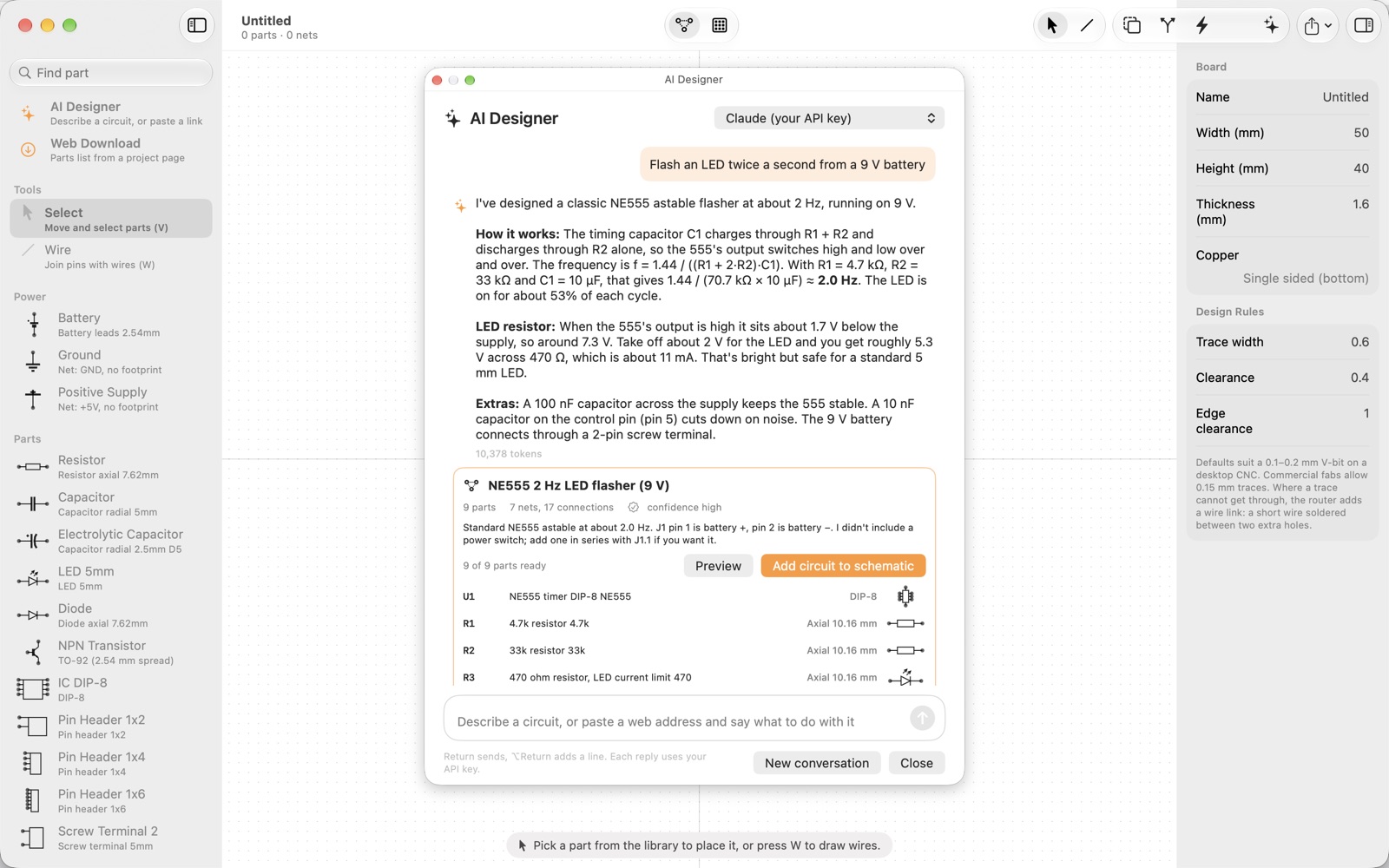
Ask the AI Designer for a circuit in plain words, such as "flash an LED twice a second from a 9 V battery", and add its schematic with one click. Or pick parts from the built-in library, join pins with a click, and let Tidy Schematic arrange the sheet.
Press Auto Layout
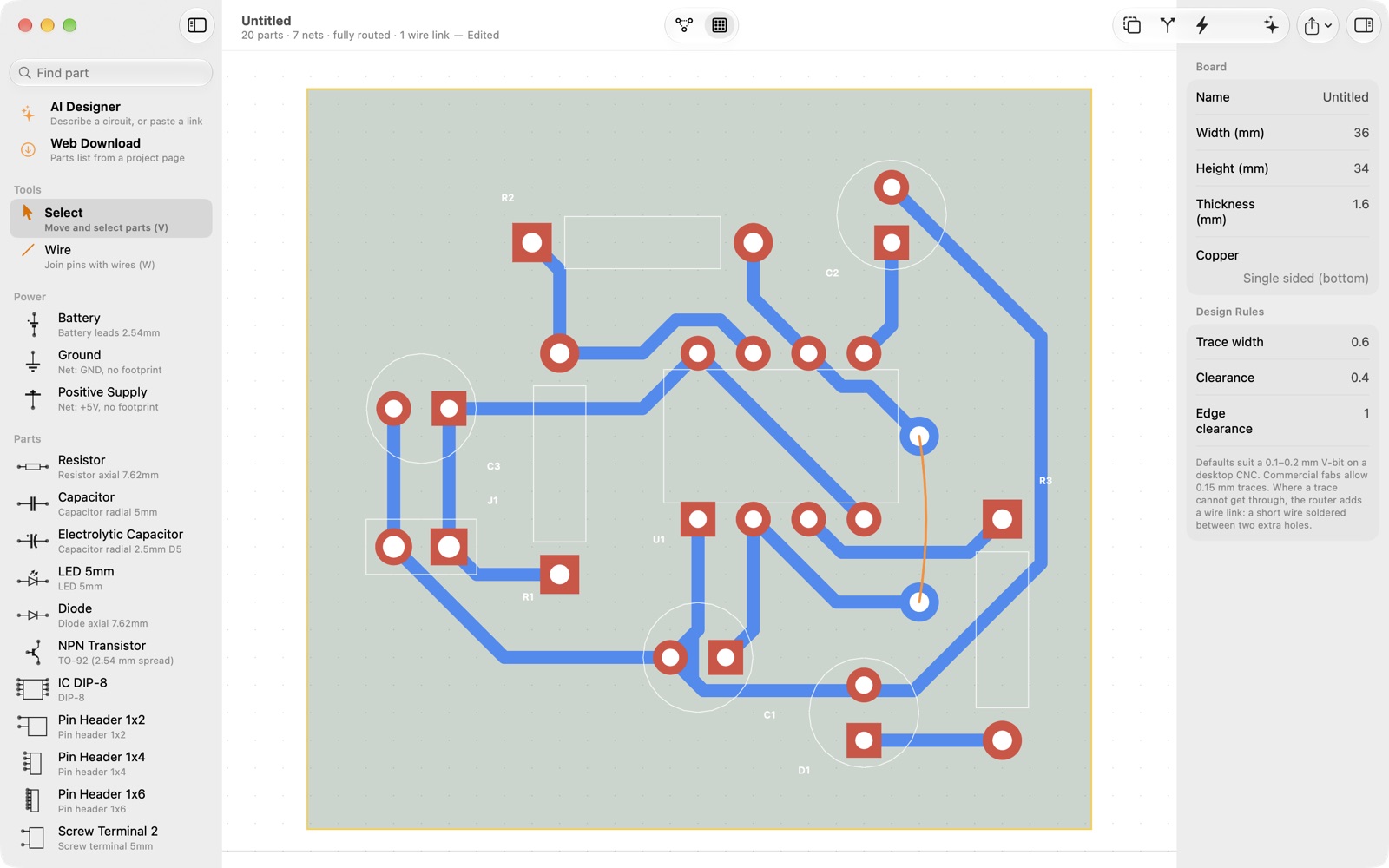
The placer finds a compact arrangement that respects clearances and the board edge. The router lays the copper, and where a trace cannot get through it adds a short wire link instead of giving up.
Export and build
G-code for the Makera Carvera or any GRBL machine, SVG layers for other desktop CNC software, and Gerber and drill files when you want a board house to make it. A parts list and an assembly sheet come with every export.
Everything a small board needs. Nothing it doesn't.
Schematic
- Resistors, capacitors, diodes, LEDs, transistors, DIP ICs, headers, terminals, switches and power symbols
- Draw wires with a click, rotate with a key, rename with a double click
- Netlist and connectivity kept up to date as you draw
Board
- Auto Place and Auto Route with configurable trace width and clearance
- Drag parts and route again; the ratsnest shows what is still unconnected
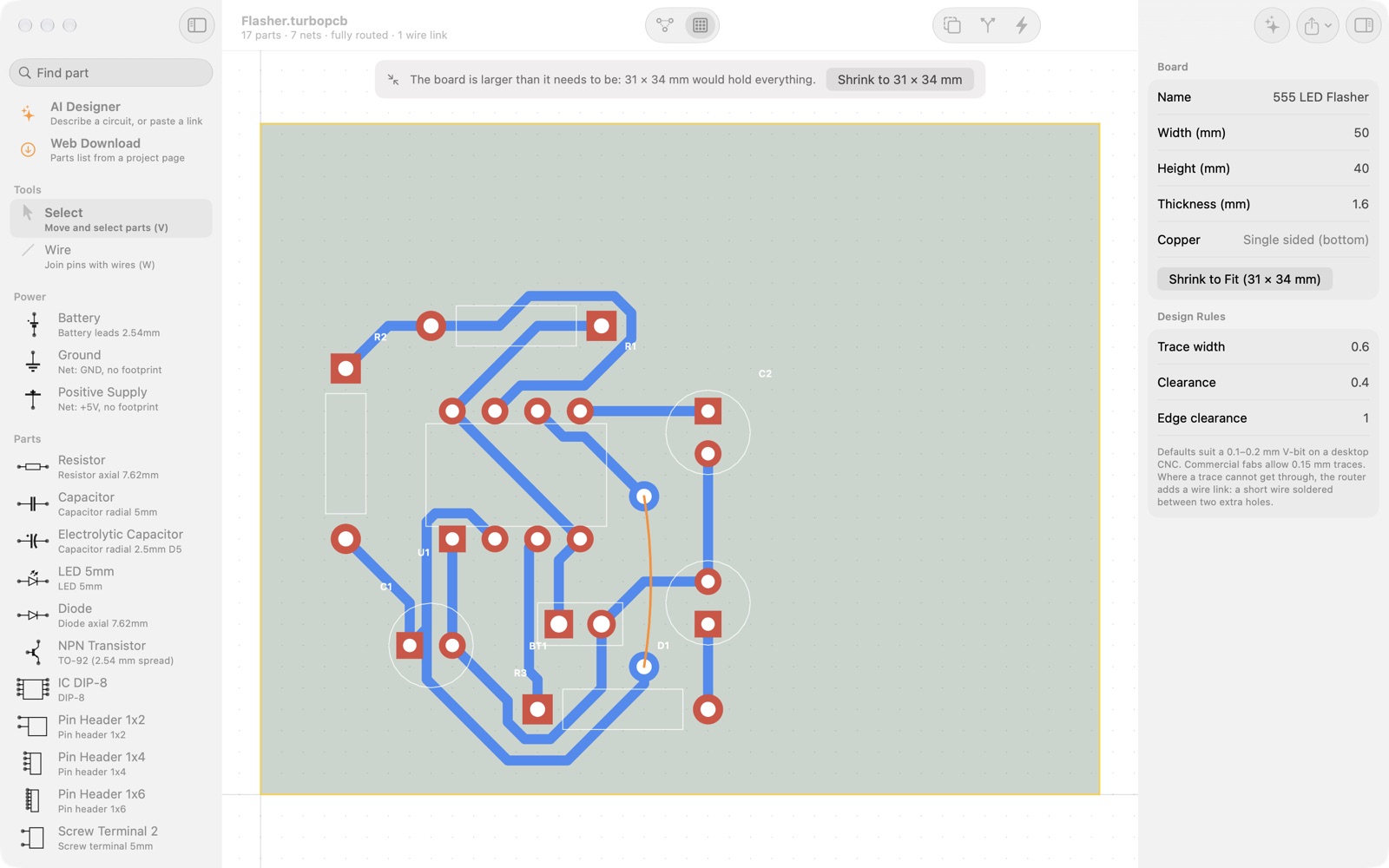
- Design-rule check, board resize and shrink-to-fit
Manufacturing output
- Gerber RS-274X with X2 attributes and Excellon drill files, accepted by JLCPCB, PCBWay and every CAM tool
- SVG copper, drill and outline layers for Snapmaker Luban, Carbide Create and similar
- G-code isolation routing for the Makera Carvera or generic GRBL
AI Designer (optional)
- Describe the circuit you want and get a schematic you can add with one click, with the parts and values explained
- Import a parts list from a project web page
- Two options: Apple Intelligence, free and entirely on your Mac, for parts; or Claude for whole circuits, which needs your own Claude API key from Anthropic (a paid Anthropic account, separate from TurboPCB)
Parts list and assembly sheet
- Parts list view beside the schematic and board, grouped by value and footprint
- CSV and PDF export; every Gerber or SVG export includes them
- Placement diagram seen from the component side, with every reference and wire link marked
A proper Mac app
- Documents, undo, autosave and versions, just like every other Mac app
- Print the schematic, the board or the parts list with ⌘P
- Project files are plain JSON, so your designs are never locked in
See it in action
Click a picture to view it full size. Use the arrow keys to move between them.
Built for simple prototypes on a desktop CNC.
Hobby projects, test jigs, adapter boards and one-off prototypes rarely need more than one copper layer, and a single-layer board is the one a desktop CNC can mill in minutes. TurboPCB's placer and router are tuned for exactly that. The same design exports as Gerber files, so when you want a batch made, send it to a fab instead.
- Wire links, not failures. Where a trace cannot get through, the router adds a short link with two extra holes and marks it on the assembly sheet.
- Milling-friendly defaults. Trace width and clearance suit a 0.1 to 0.2 mm V-bit on a desktop CNC; tighten them for a commercial fab.
- Seen from the component side. The board view and the assembly sheet show the board the way you hold it when placing parts; the Gerber and drill files follow the usual conventions, so the fab needs nothing extra.
Files your CNC, your fab and your bench can use.
G-code
Carvera · GRBLIsolation routing with automatic tool change, probing and grid levelling on the Makera Carvera, or manual tool changes on generic GRBL.
SVG layers
copper · drill · outlineTrue copper outlines for Snapmaker Luban, Carbide Create, LightBurn and similar desktop CNC tools.
Gerber + Excellon
-B_Cu.gbr · -Edge_Cuts.gbr · -PTH.drlRS-274X with X2 attributes for when you want the board made. Zip them and upload to JLCPCB, PCBWay or any board house.
Parts list + assembly sheet
-BOM.csv · -Assembly.pdfBill of materials and a placement diagram, included with every export and printable from the app.
Questions people ask
Does TurboPCB do double-sided boards?
Not yet. Version 1 is single-sided by design, with wire links where a trace cannot get through. Double-sided routing with vias is next on the roadmap.
Do I need an account or a subscription?
No. TurboPCB comes from the Mac App Store and that is the whole transaction. There is no sign-in, no server and no subscription.
How does the AI Designer work, and what does it cost?
There are two options. Apple Intelligence runs on your Mac, is free, sends nothing anywhere, and handles single parts. Claude handles whole circuits and needs a Claude API key, which means a paid account with Anthropic that is separate from TurboPCB; Anthropic bills you for what you use, typically a few cents per circuit. The support page explains how to get a key. The rest of the app works without any of this.
Which Macs does it run on?
Any Mac running macOS 26 or later. Apple Intelligence features need an Apple silicon Mac.
Can I open my files in another tool?
Project files are plain JSON, and the exports are standard Gerber, Excellon, SVG, CSV and PDF. Nothing is locked in.
Does it support surface-mount parts?
The 1.0 library is through-hole, which is what home-made boards are usually built with. Custom footprints and SMD parts are on the roadmap.
Your next board is an afternoon away.
Download TurboPCB from the Mac App Store and go from an idea to a milled board before the coffee goes cold.
Download on the Mac App Store